M's Works

Parliamo su

WhatsApp

Every promissory note in the repayment plan, printed in one go.

Effetto is software for Windows and Mac that fills in and prints promissory notes, for debt collectors, recovery agencies and credit consultants in Italy. Free.

«Noi di Phoenix ci siamo trovati benissimo con Effetto.»
Alessia Daiuto, Phoenix Solutions SRLS · excerpt on Trustpilot
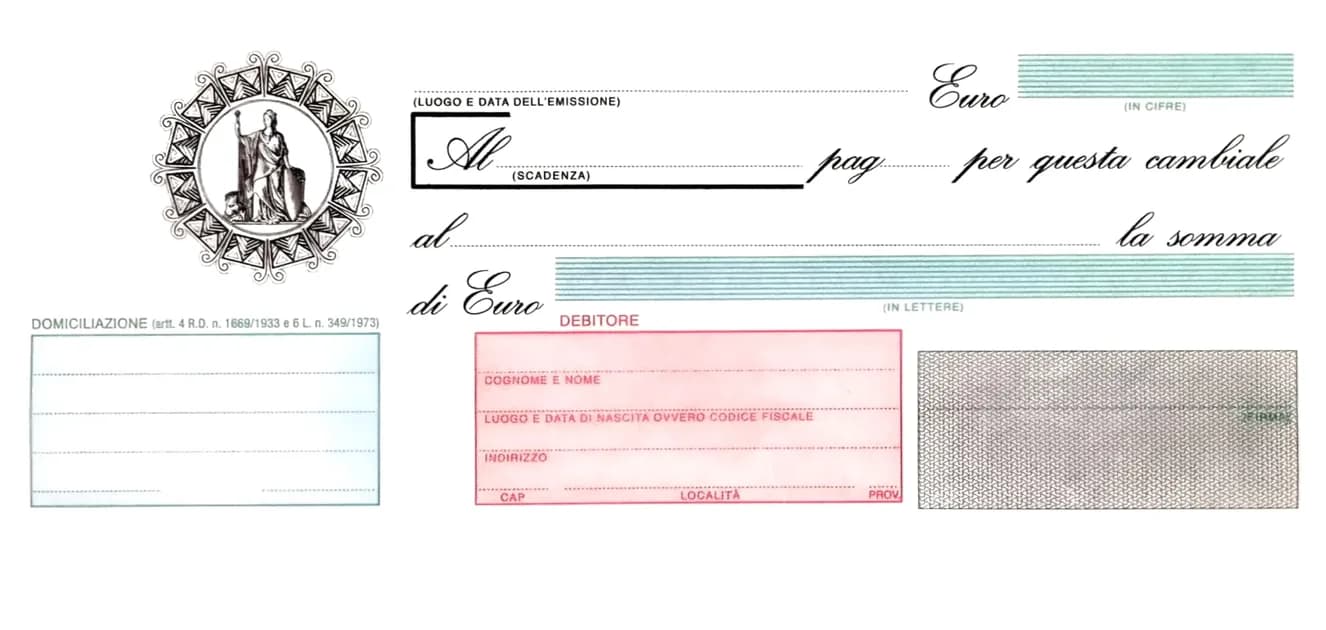
A promissory note filled in by Effetto, in front of the others in the repayment plan0012345678PALERMO30/09/2026250,0031/10/2026heròCREDITO ESEMPIO SPADUECENTOCINQUANTA/00BANCA ESEMPIOVIA ROMA 1AG. 12 PALERMOABI01234CAB05678ROSSI MARIORSSMRA85T10A562SVIA GARIBALDI 1290133PALERMOPA
Sample data, placed where Effetto prints it.

Free: no key, no limits, no subscription. For Windows 10 and 11 and for Mac. You only need the internet to download and update it. The program is in Italian, like the cambiali it prints.

Read the guide (in Italian)

A wrong promissory note is more than a badly filled title.

It puts at stake its legal value, your work and the time it takes to fix, and it can lead to serious disputes. Twelve, twenty-four, thirty-six instalments: notes that are all the same except for the date. That is where mistakes happen.

You copy them out by hand, one by one.

Same name, same address, same bank, for every instalment. Time nobody pays you for.

One moment of distraction is enough.

Two digits swapped, an amount in words that does not match, a due date on the 31st of a 30-day month.

And the mistake is expensive.

Under Italian law, if figures and words disagree, the amount in words prevails. A badly filled note can also lose its force as an enforceable title: instead of going straight to enforcement, you have to go to court.

Word with macros, an Excel sheet, a typewriter: none of them knows what a promissory note looks like.

Effetto knows what a promissory note looks like. You type the details once.

  1. 01

    Fill in

    Debtor, bank, amount, first due date, number of instalments. One grid, like a form.
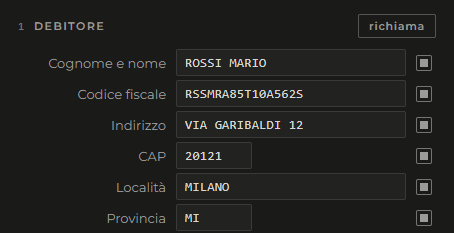
    The Debtor section in Effetto, filled in
  2. 02

    Check

    See the note on screen with your details on it, before you use a form.
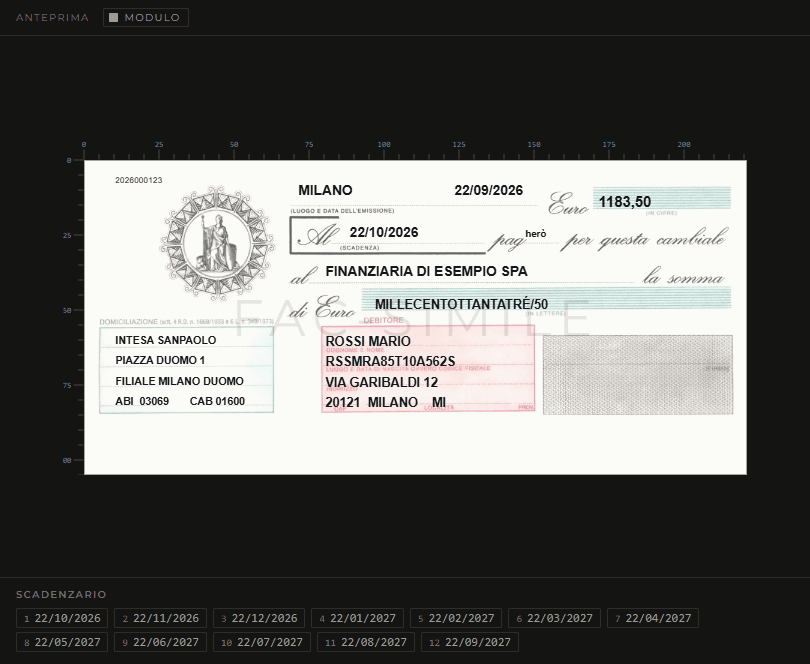
    The note preview in Effetto, with the details on the form and the schedule
  3. 03

    Print

    The whole plan, one note per sheet, in one go.
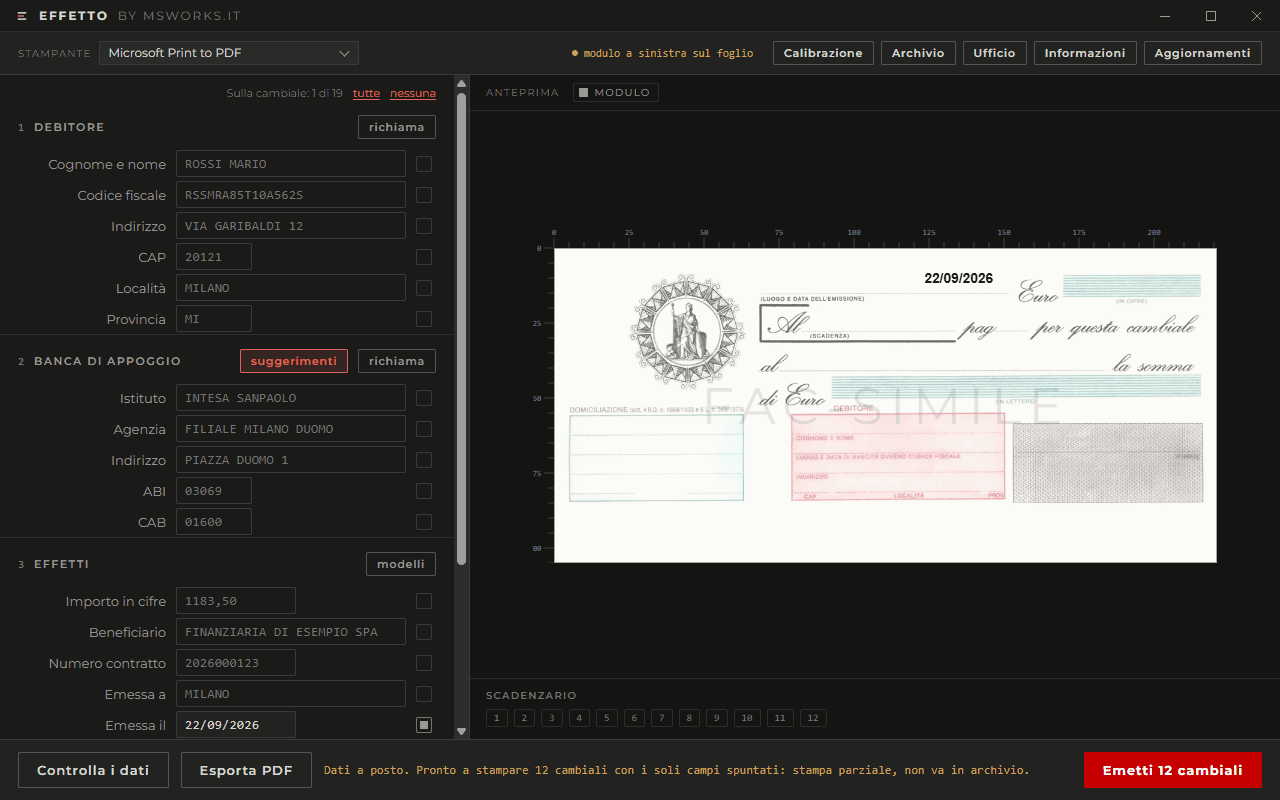
    The Effetto window with the button to issue the 12 notes in the plan
  4. 04

    File

    The plan stays on file: mark the paid and unpaid notes, and reprint it whenever you need.
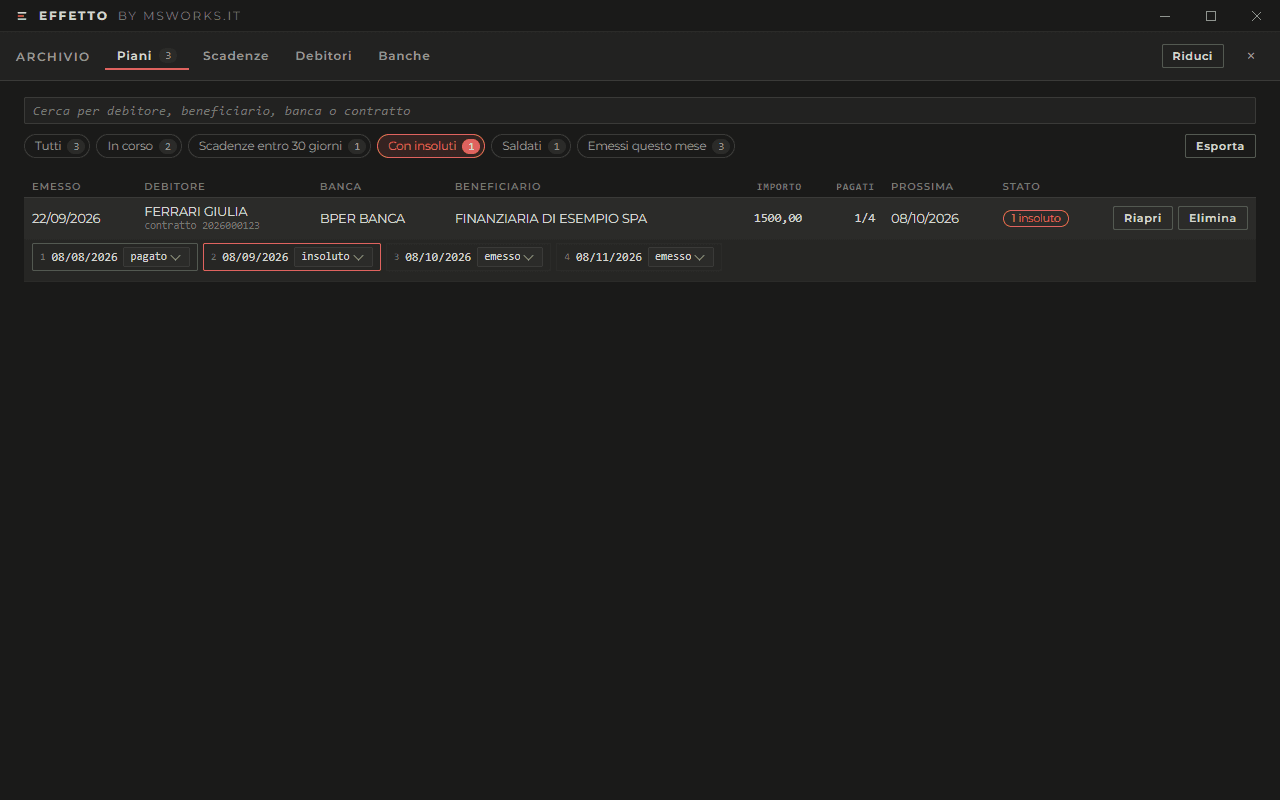
    The Effetto archive, with the paid and unpaid notes of a plan

What changes

Type once, print the whole plan.

Debtor and bank are entered once and apply to every instalment. Even 120 notes, even every other month or quarterly.

Figures and words always match.

Effetto writes the amount in words from the figure you entered: they cannot disagree. It works out the due dates too: if the first falls on the 31st, February's falls on the 28th.

It stops you before the form.

If the tax code does not add up, a bank code is missing a digit or the province does not exist, it tells you before printing, all at once.

Every plan, on file.

Each plan stays in the archive with its notes: mark the paid and the unpaid ones, and reprint without retyping anything.

Born in the field

Effetto is written for people who prepare repayment plans every day. The position of every detail on the form is checked against notes actually printed, to a tenth of a millimetre.

A Windows computer or a Mac, and the printer you already have.

Computer
Windows 11 or Windows 10, 32-bit included: there is a separate version for it. It does not run on Windows 7 or 8.
Mac
macOS 10.15 or later, with an Intel or Apple chip. Effetto is new on the Mac: the first time, make the test print on a blank sheet before using the forms.
Printer
Your current printer will do, even an A4-only one: a test print on a blank sheet shows you how to feed the form.
Installation
A few clicks, no administrator password. The first time, Windows may show “Windows protected your PC”: click “More info”, then “Run anyway”. On a Mac you drag Effetto into Applications, and the first time you open it from System Settings, Privacy & Security, “Open Anyway”.
Internet
Only to download it and for updates. Filling in, checking and printing work offline, and none of your data reaches us.
Updates
Effetto is currently at version 1.0.21, released on 9 October 2026. When a new version comes out Effetto tells you, and you decide when to install it. Archive and settings stay where they are.

You can use Effetto on your own. If you like, we guide you.

Optional paid professional services, delivered remotely by the person who wrote Effetto.

Assisted start-up

€120

1 hour, remotely, final price

  • We install Effetto together, on your computer
  • We set it up for your printer and your forms
  • We enter the details you always use, such as payee and banks
  • We show you how to work with it

No VAT applies, INPS contribution included. After payment we write to you within 2 working days to book the hour.

Tailored, on quote

  • Integration with your CRM or management software
  • Import of your archives
  • Advanced configuration
  • Training for several people
  • Ongoing support

Tell us what you need: we send you a quote with the work, the timing and the price, and a link to pay it.

Condizioni dei servizi · Licenza d'uso di Effetto

Before you download it

No: Effetto is in Italian, like the cambiali it fills in. The screens use the same words as the form.

Try Effetto on your next repayment plan.

Download it for free, fill in your next plan and print it on your forms. If something does not land where it should, write to us.

Or write to assistenza@msworks.it

“If opportunity doesn't knock, build a door.”

Milton Berle